Enter small datasets directly.
Create curated comparison tables, schedules, pricing matrices, lists, and internal dashboards without leaving WordPress.
WordPress plugin
Create searchable, sortable tables and charts from CSV files, manual rows, WordPress content, or external MySQL and MariaDB databases.
Built for practical site data
BaraTables gives WordPress editors a structured way to define data sources, choose columns, add filters, and publish the result with shortcodes. Tables stay interactive on the frontend, and charts can be created from the same table definitions.
What it handles
Use the source that fits the job, then apply the same table controls, layout options, and charting tools.
Create curated comparison tables, schedules, pricing matrices, lists, and internal dashboards without leaving WordPress.
Use CSV files from the media library when your data starts in a spreadsheet or a recurring export.
Build tables from the content already in your site, including metadata and dates.
Connect to an external table and publish it with the same search, filter, export, and chart controls.
Theme-friendly by default
BaraTables intentionally keeps frontend styles light. It provides a usable table presentation, then leaves room for your theme or custom CSS to control colors, typography, spacing, borders, and button treatments.
Screenshots
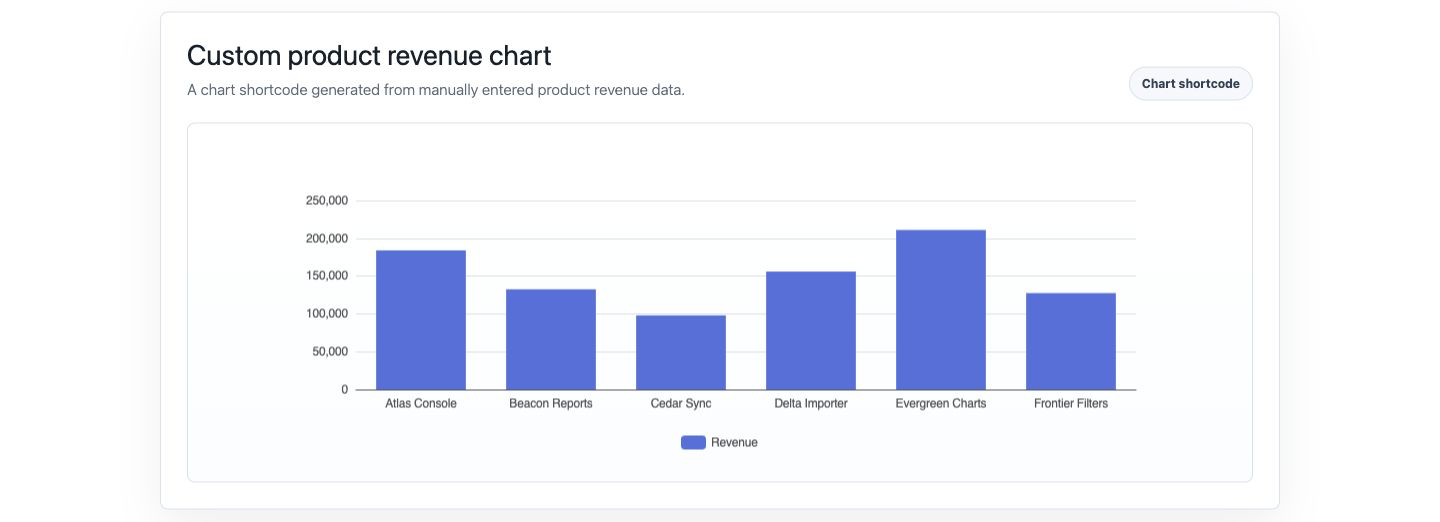
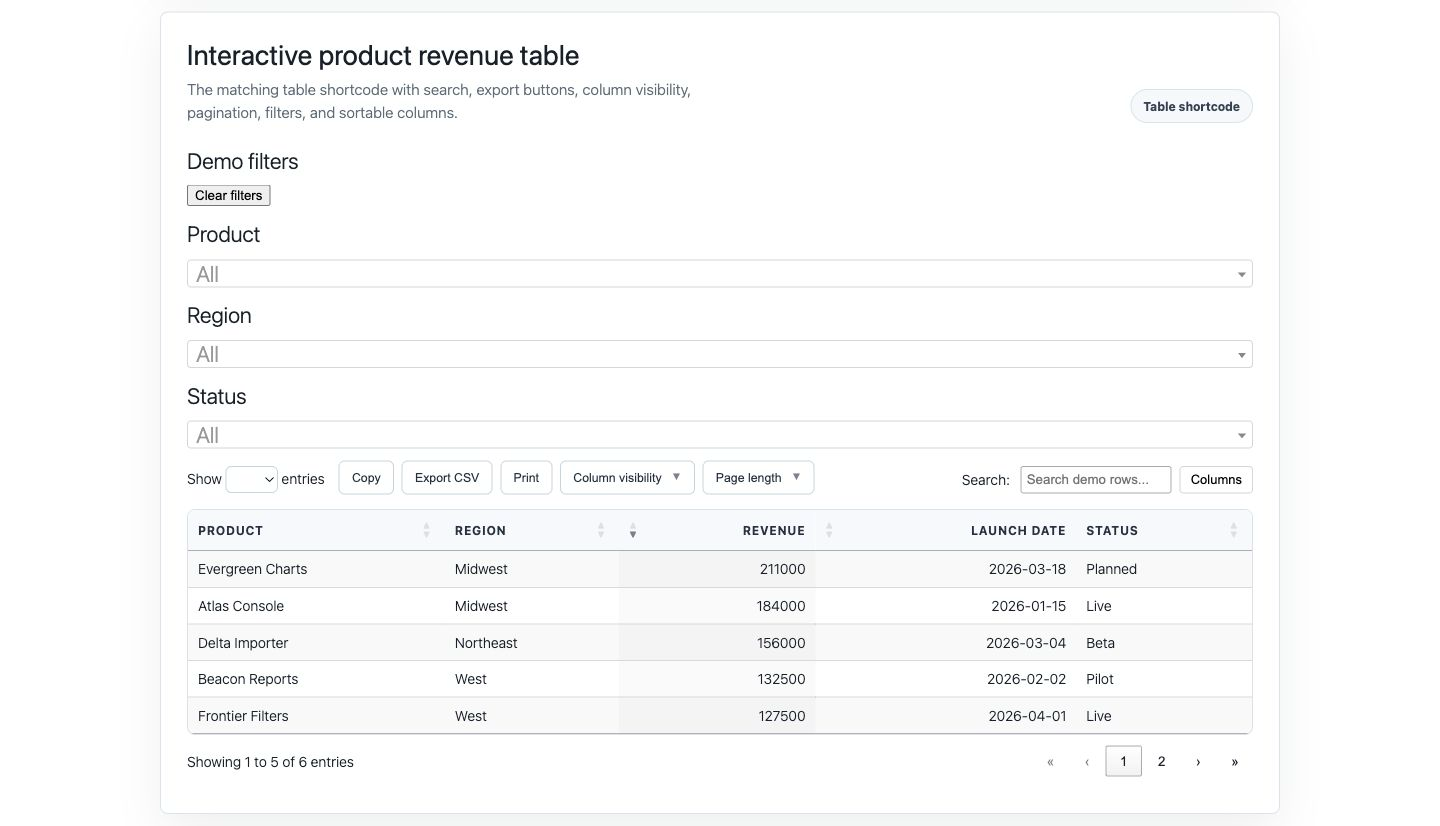
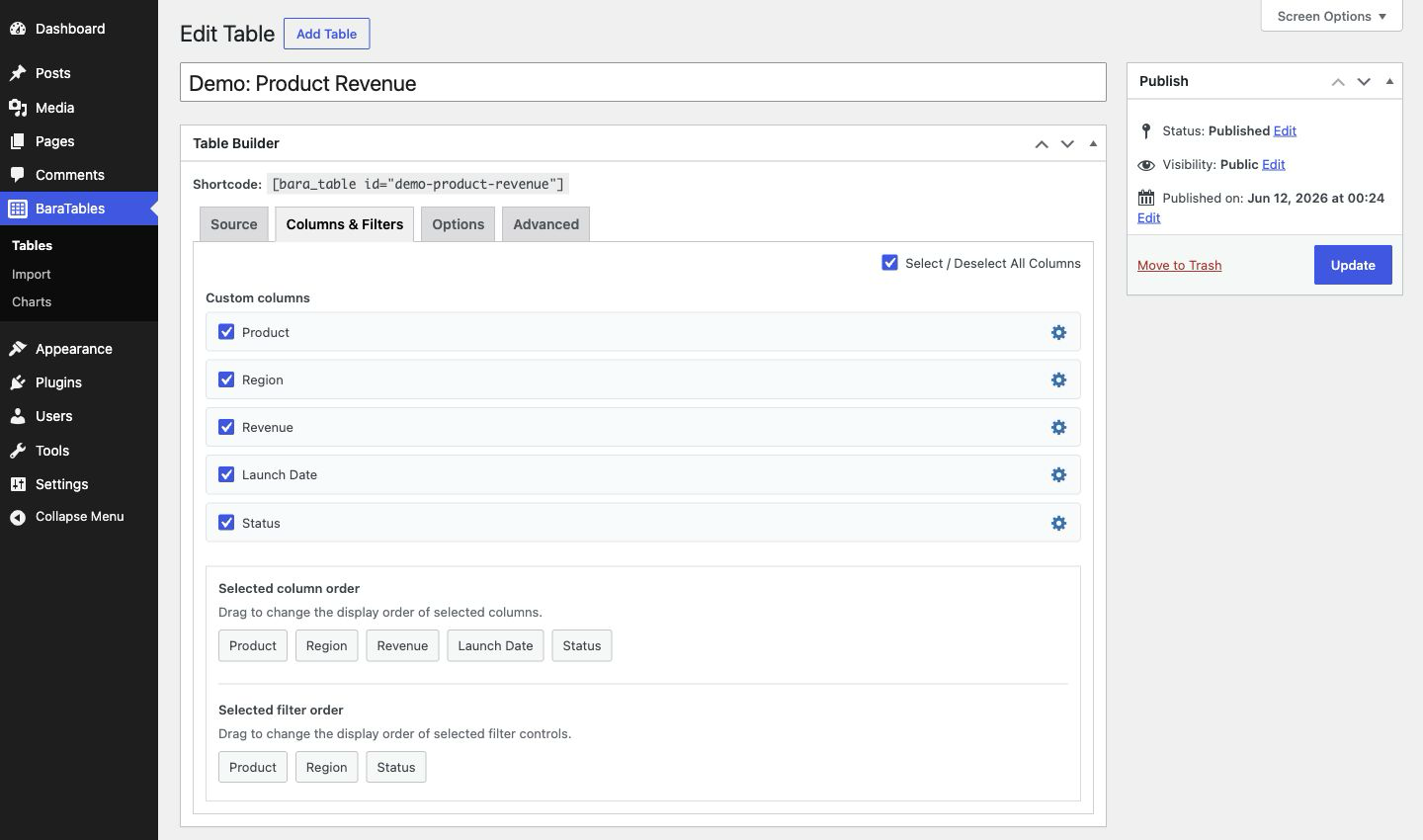
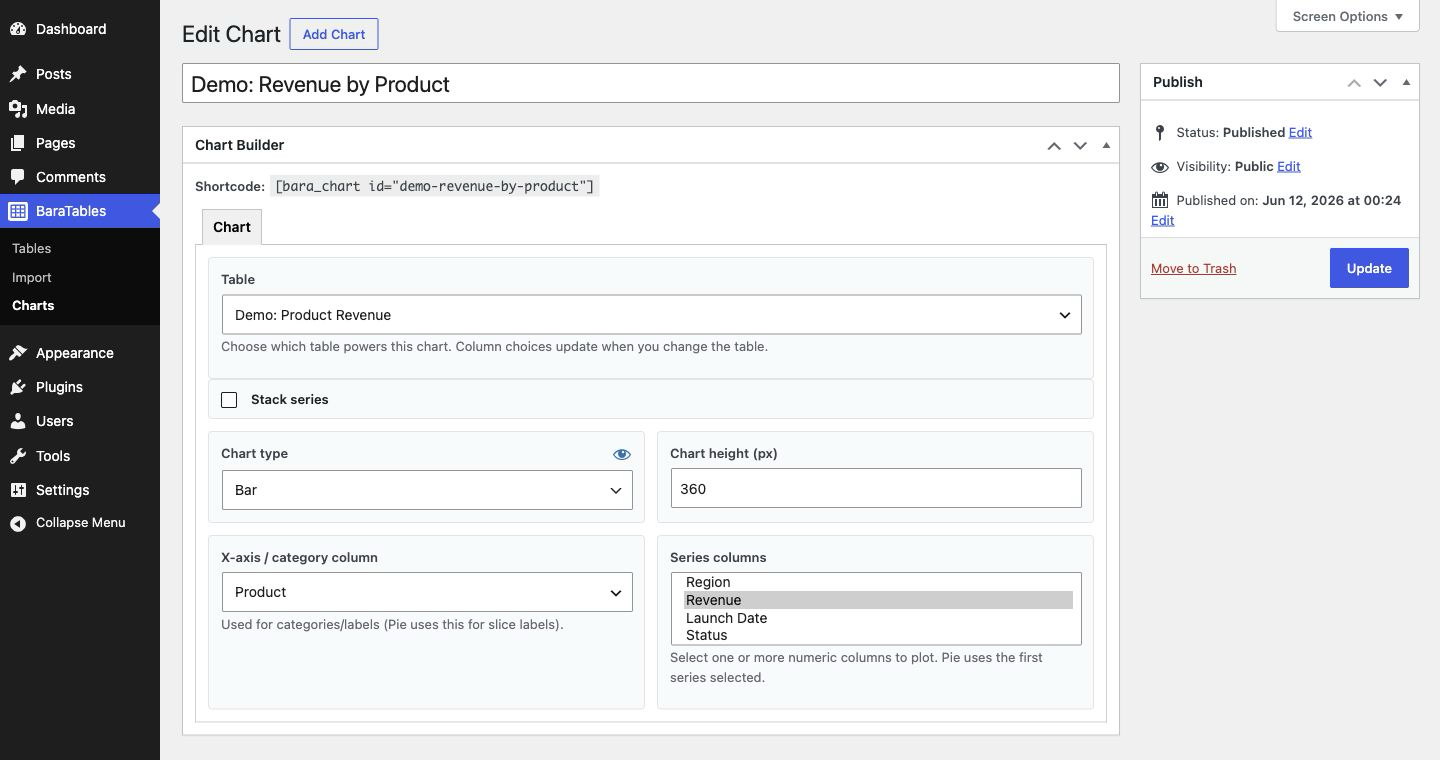
Frontend output stays focused on the data. Admin screens keep table and chart configuration close to the WordPress editing workflow.

Available for WordPress
Use it for searchable tables, filtered content lists, CSV-powered displays, external database tables, and chart shortcodes.